SMS Terms and Text Message Opt-In
Last updated: October 5, 2026
Landlord's Desk, operated by 5637 Christiana LLC, sends text messages to landlords and property managers who have a Landlord's Desk account and have turned on text alerts in their account settings. Messages are sent by Landlord's Desk under the program name Landlord's Desk Account Alerts.
Program description
Program name: Landlord's Desk Account Alerts. Messages are about the account holder's own Landlord's Desk account and rentals. They are not marketing messages, and we never send legal notices by text.
Types of messages
Account holders choose exactly which of these they receive. None are on until they choose them.
- Urgent repairs: a tenant reports an emergency or urgent repair.
- Online rent payments: an online rent payment succeeds or fails.
- Messages that bounced: an email to a tenant couldn't be delivered.
- Daily approvals summary: at most one text a day, only when something is waiting for approval.
We also send a one-time verification code when an account holder adds a mobile number.
How you opt in
You receive alerts only after you turn them on yourself:
- Sign in to Landlord's Desk and open Settings, then Text alerts.
- Enter your mobile number. We text you a one-time code to confirm the number is yours.
- Choose the alerts you want. Every alert is off by default; nothing is pre-selected.
- Select Save text alerts, next to the consent language shown below.
Consent to receive text messages is not a condition of using Landlord's Desk.
Example of the opt-in
Example only. This is how the opt-in appears in account settings; it does not sign you up.
Urgent repairsOnline rent paymentsBy turning on text alerts, you agree to receive automated account alerts from Landlord's Desk at this number. Message frequency varies. Msg & data rates may apply. Reply STOP to opt out, HELP for help. Consent is not required to use Landlord's Desk. See the Terms and Privacy Policy.
Screenshots of the opt-in in account settings
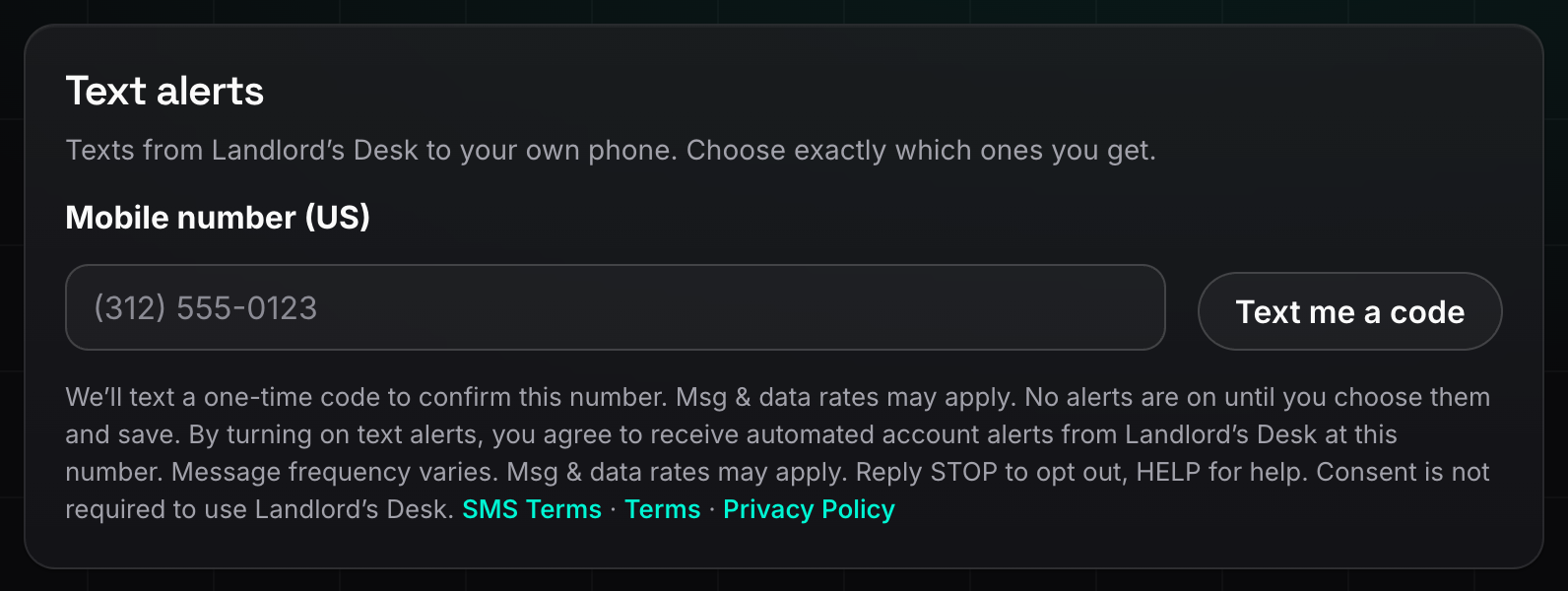
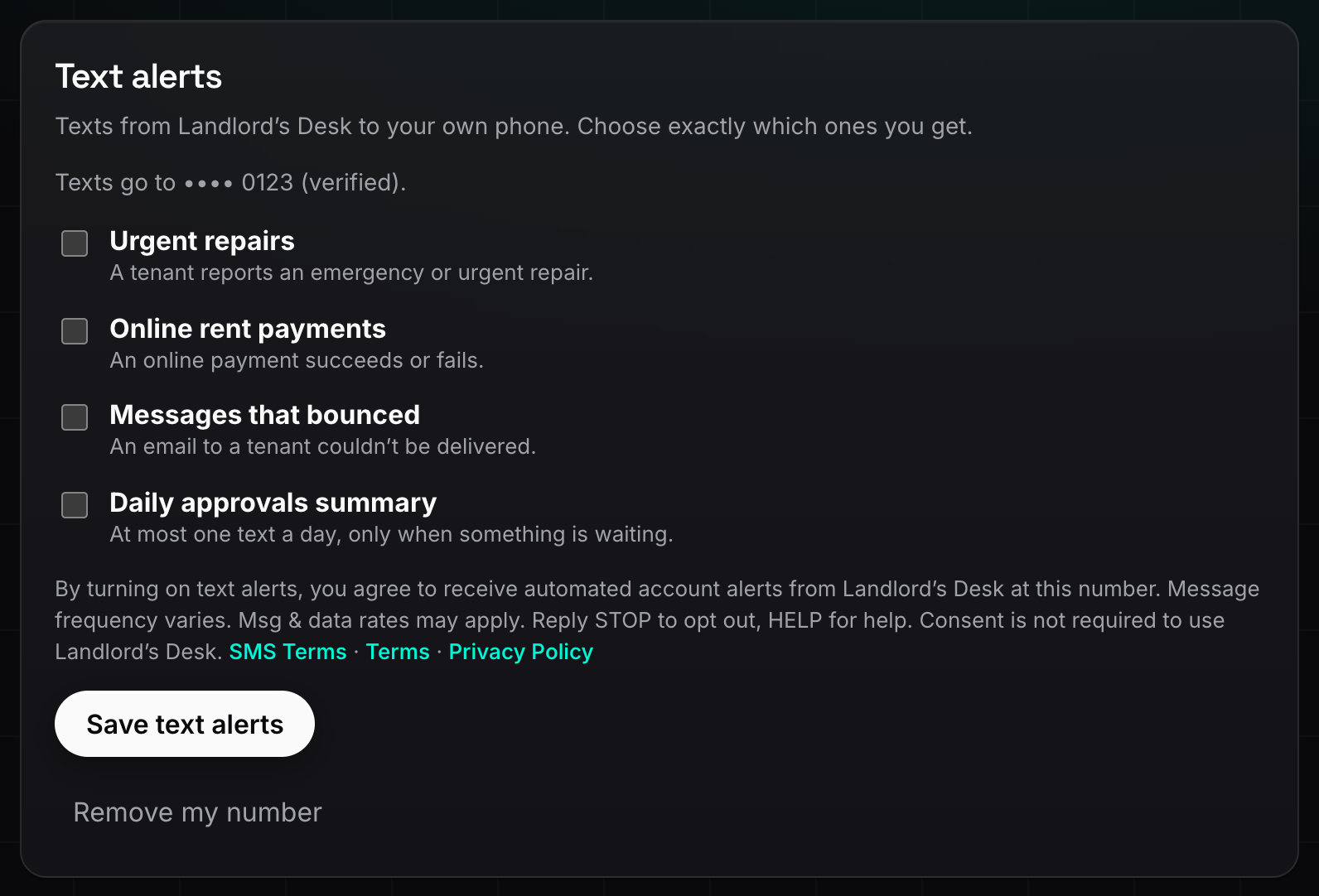
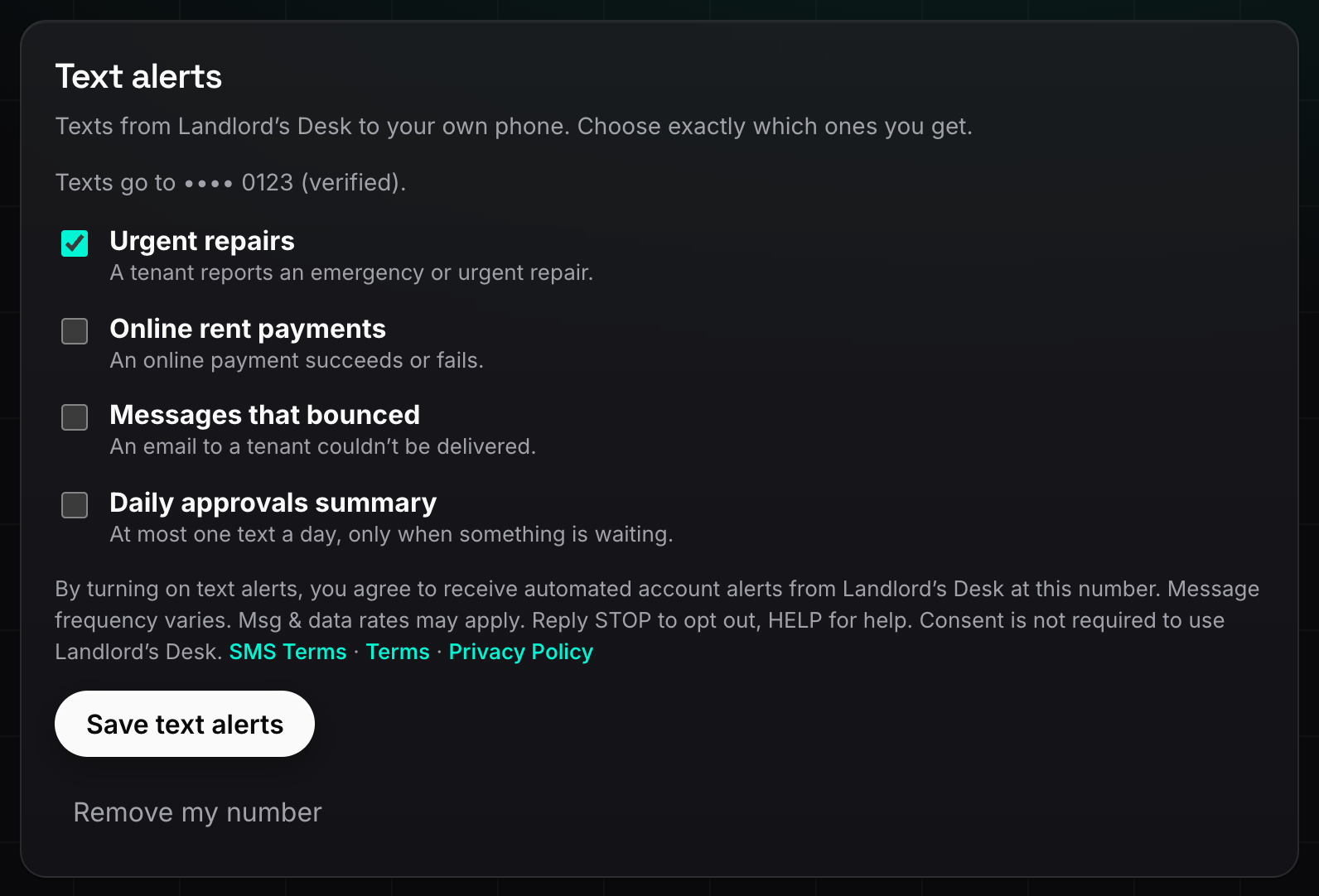
After the first alert is turned on, we send one confirmation text: “Landlord’s Desk Account Alerts: Text alerts are on. Message frequency varies. Msg & data rates may apply. Reply HELP for help, STOP to opt out.”
Message frequency and cost
- Message frequency varies, depending on the alerts you choose and activity in your account. The daily approvals summary is at most one text a day.
- Msg & data rates may apply, according to your mobile plan.
How to opt out or get help
- Reply STOP to any message to stop receiving texts. We'll send one message confirming that you've been unsubscribed, and then no more texts. Reply START to turn them back on.
- Reply HELP for help, or email info@landlordsdesk.com.
- You can also turn alerts off or remove your number at any time in Settings, then Text alerts.
Tenant text messages
Landlord's Desk does not send text messages to tenants yet. Before it does, we will update these terms with how tenants opt in.
Privacy
We do not share, sell or rent mobile numbers or text-message consent to third parties or affiliates for marketing or promotional purposes. Text messaging originator opt-in data and consent will not be shared with any third parties. See our Privacy Policy.
Other terms
- Mobile carriers are not liable for delayed or undelivered messages.
- Tell us if you change or give up your mobile number, or remove it in Settings.
- These SMS Terms are part of our Terms of Service.
Contact
5637 Christiana LLC, 7351 N Keeler Ave, Lincolnwood, IL 60712. Email: info@landlordsdesk.com.